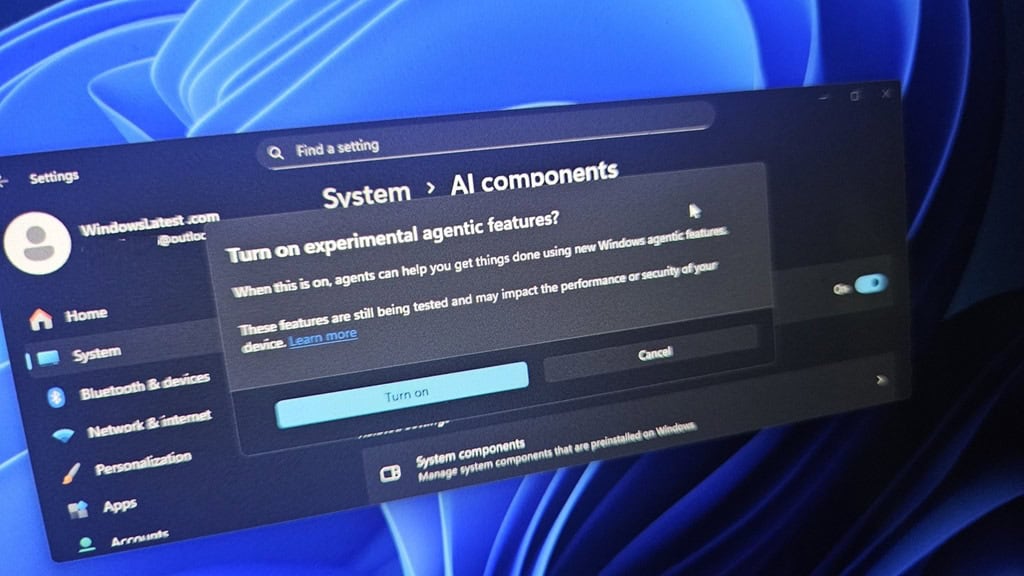
The Hidden Horror of Microsoft’s “Agentic” Ambitions.
Microsoft has been shoving Windows 11 down our throats like a bad sales pitch at a family dinner, promising a shiny future where your computer isn’t just a tool, it’s a nosy roommate with keys to every drawer in your digital house.
But let’s cut the fluff: if you’re clinging to Windows 10 because you value your privacy and don’t fancy an AI sidekick rummaging through your files uninvited, there’s zero compelling reason to make the jump. In fact, upgrading feels like inviting a corporate spy into your home office, complete with de facto administrator rights to snoop, suggest, and potentially screw things up. The company’s execs are gushing about turning Windows into a “canvas for AI,” but for everyday users, it’s more like a canvas for frustration and fear.
Picture this: your taskbar, that sacred strip of screen real estate where you pin your go-to apps, now hijacked by AI agents ready to “help” whether you asked or not. These digital busybodies can dig through your folders, run background research, and even hover-reveal what they’re up to, like that’s supposed to make us feel better. Microsoft’s bigwigs boast about voice commands that let your PC “act on your behalf,” turning simple computing into a sci-fi nightmare where you bark orders at your desktop. But who wants their machine listening in, analyzing every click, and offering unsolicited advice? It’s not innovation; it’s overreach disguised as convenience.
The Invasion of Privacy: AI Eyes Everywhere
Dig deeper, and the creep factor skyrockets. Windows 11’s File Explorer gets a Copilot makeover, letting you right-click a document for an instant summary—sounds handy until you realize it opens the door for other AI apps to paw through your personal files. Then there’s Copilot Vision, which essentially turns your screen into a live feed for AI scrutiny, watching everything you do to dish out “context-based tips.” And hold onto your keyboards: future updates promise Copilot Actions, where the AI doesn’t just watch—it takes over, executing tasks based on what it observes. If that doesn’t scream “intrusive experience,” what does?
Microsoft’s track record here is a red flag parade. Remember their AI-powered Recall tool? It snapped constant screenshots of your desktop, hoarding sensitive data like passwords or financial info in plain, unencrypted storage. Users flipped out, and rightfully so—it’s a hacker’s dream and a privacy advocate’s worst nightmare. Now, they’re doubling down with even more pervasive features, all while assuring us it’s for our own good. But if history teaches us anything, it’s that these “enhancements” often prioritize Microsoft’s data hunger over user security. Why risk your machine becoming a surveillance hub when Windows 10 still does the job without the AI baggage?
User Backlash: From Rage to Rebellion
The online backlash is deafening, and it’s not just tech nerds venting. Forums are flooded with rants from fed-up folks demanding ways to nuke these features entirely. “No way in hell,” echoes one sentiment; “Time to bail to another OS,” chimes another. It’s clear: people aren’t buying the hype. They’re seeing through the glossy demos to the core issue—an OS that’s evolving into an “agentic” entity, where AI has near-administrative powers to access, analyze, and alter your world. If you cherish control over your hardware, why trade the familiar stability of Windows 10 for this experimental AI playground?
And let’s be real: are these bells and whistles even worth it? Early testers report epic fails, with AI agents botching basic requests left and right. It’s like paying a premium for a sports car that stalls at every light. Microsoft might think this is the future, but for those of us who just want a reliable OS without the constant prodding, it’s a step backward into annoyance and vulnerability.
Bottom Line
For AI to work, you need to export the local data to a datacenter somewhere, operated by some people, and ostensibly governed by some laws. Your entire trust and faith are predicated on a mysterious black box with tentacles into the government’s deep state.
If avoiding an intrusive AI takeover, with de facto administrator privileges over your machine, is your priority, stick with Windows 10 like glue. There’s no compelling upgrade path here; it’s all downside dressed as progress. Microsoft needs to listen to users, not force-feed us their AI fever dream.
Even worse, companies that process non-public personal information, like TurboTax, are demanding you install Windows 11 to use their at-home product on your local computer.
We are so screwed.
— Steve